नंतर खाली दिल्याप्रमाणे 1 वेळेस डेटाबेस अपडेट करणे.
Step 1. Donation Module वापरण्यासाठी , सर्व प्रथम आपल्याला Donation साठी fees Add करणे आवश्यक आहे.
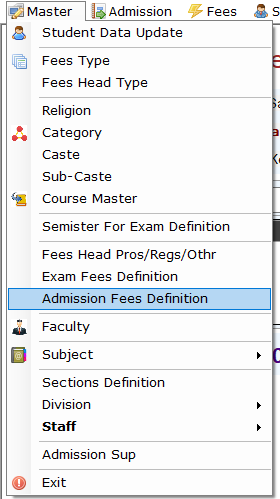
Step 2. या साठी आपल्याला Master -> Admission Fees Definition मध्ये जावे लागेल.
Master -> Admission Fees Definition
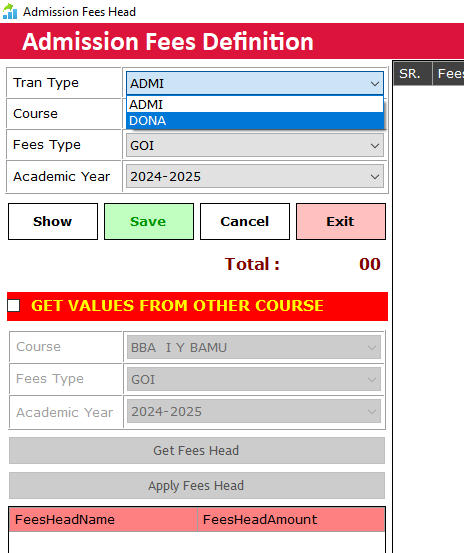
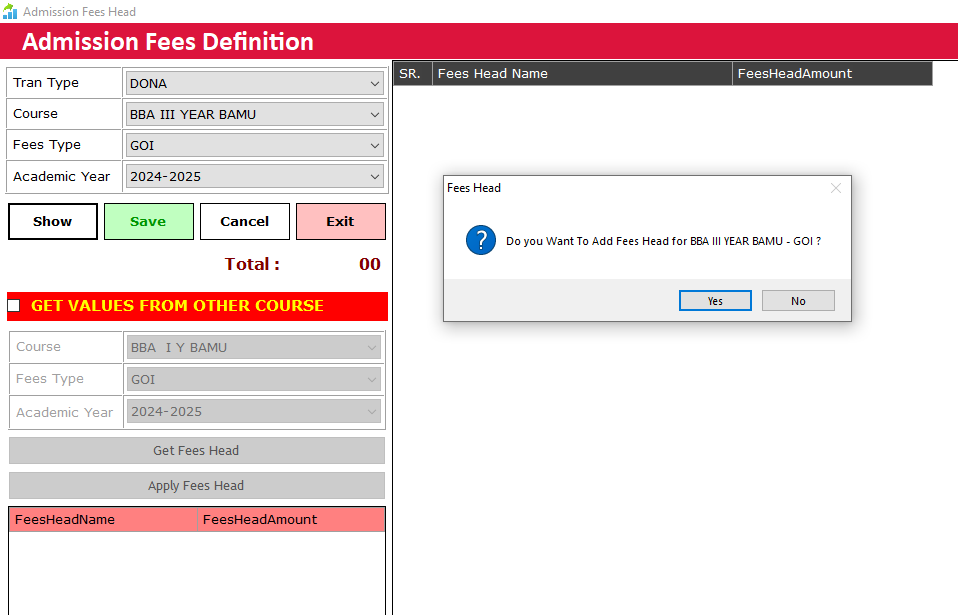
Select ransaction Type as DONA for setting Donation Fees Head
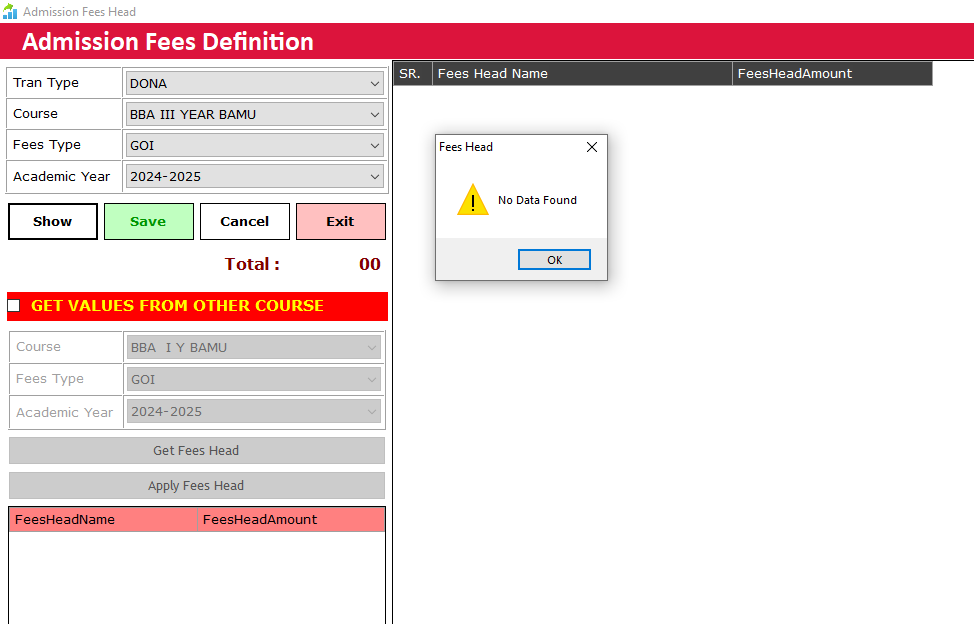
After Selecting Tran Type, Course , Fees Type and Academic Year . Then Click on Show.
Now Click on Yes.
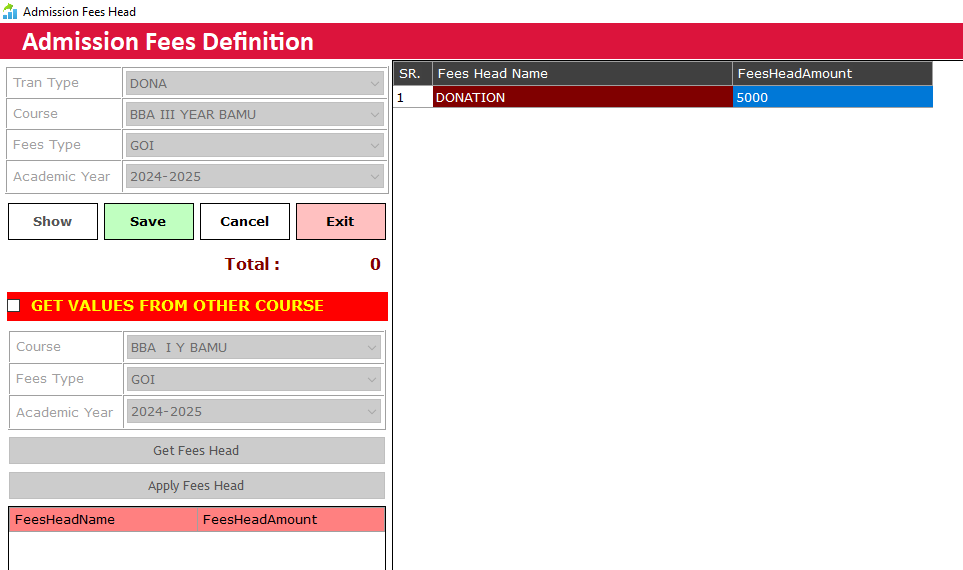
Enter Fees for Fees Head. Now press Save Button.
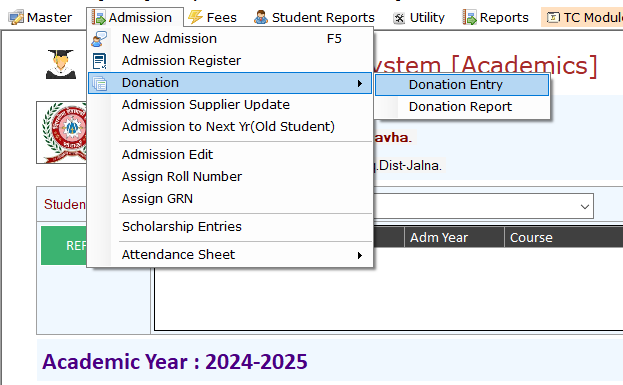
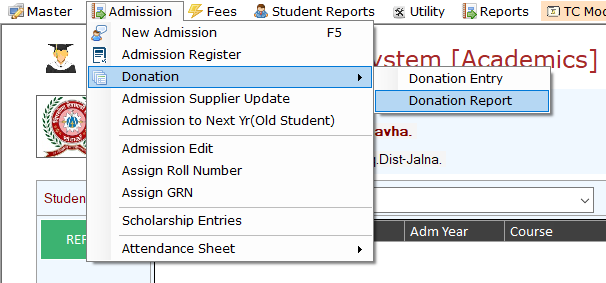
Admission -> Donation -> Donation Entry
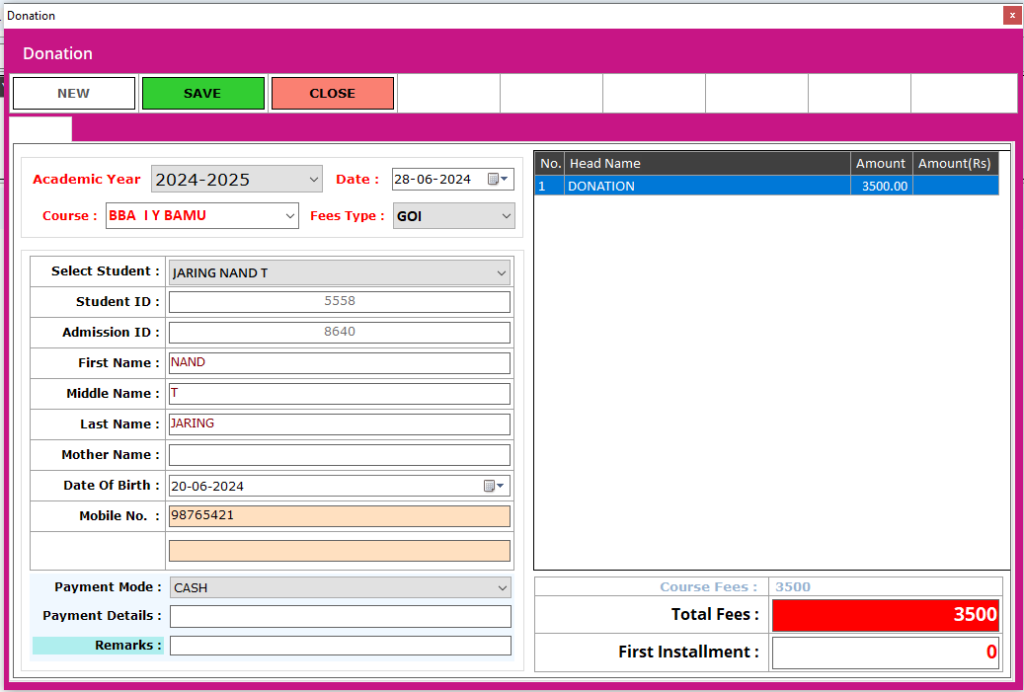
here Click on New. Select Academic Year then Date then Course then Fees Type. Student list will be populated automatically. Select the student Properly and Enter his/her First Installment. And save the Entry.
To check the report go to Admission -> Donation -> Donation Report. Date Wise report is available for now.